Choosing between WordPress vs custom development affects your budget and business success. This decision can save or cost you thousands of dollars. Moreover, it determines how fast you launch your website.
Many people feel confused about WordPress vs custom development choices, but this guide makes everything simple. You’ll also learn which option works best for your needs, supported by real-world examples that show the right path forward.
WordPress vs custom development comes down to three main factors: your budget, timeline, and feature needs. Consequently, understanding these factors helps you decide correctly. Therefore, this guide explains everything in easy language anyone can understand.
Quick Answer: WordPress costs $3,000-$50,000 and launches in 2-8 weeks. Custom development costs $30,000 to $100,000 and takes 3-12 months. For most businesses, WordPress delivers better value. However, custom development works for unique features or large-scale needs.
Understanding WordPress vs Custom Development Basics
Let me explain what WordPress vs custom development really means. This WordPress vs custom development difference is simpler than you think. Trust me on this.
What WordPress Development Means
WordPress development refers to building and managing websites using the WordPress content management system (CMS). It includes theme customization, plugin integration, performance optimization, and ongoing site management.
WordPress powers 43% of all websites worldwide and includes ready-made tools that allow websites to be built quickly. As a result, WordPress is generally the faster option when compared to custom development.
WordPress includes:
- Free software that runs websites
- Thousands of pre-made designs
- Ready-to-use features and functions
- Easy content management system
Simple example: WordPress is like buying a ready-made house. The house already has walls, doors, and windows. Additionally, you just decorate and move in quickly. Similarly, WordPress websites work immediately after setup.
What Custom Development Means

Custom development refers to building a website or web application entirely from scratch using programming languages such as HTML, CSS, JavaScript, and backend frameworks.
Custom development involves building everything from scratch, with programmers writing unique code specifically for your project. Because every feature is created manually, custom development is usually slower than WordPress, but it offers greater flexibility for highly specific or complex needs.
Custom development includes:
- Planning your unique system
- Designing custom interfaces
- Writing all code manually
- Testing everything thoroughly
Simple example: Custom development is like building a house from the ground up. First, you design everything yourself. Additionally, workers build each part specially for you. However, this takes much longer and costs significantly more.
WordPress vs Custom Development: Cost Comparison
Understanding costs helps you make better WordPress vs custom development decisions. Therefore, let me show you real numbers. Don\’t worry – I\’ll keep this simple.
WordPress Development Costs

Here\’s what WordPress vs custom development costs look like for WordPress projects:
Small Website (Blog or Portfolio):
- Initial cost: $3,000-$8,000
- Build time: 2-3 weeks
- Monthly maintenance: $50-$150
Business Website:
- Initial cost: $8,000-$20,000
- Build time: 4-6 weeks
- Monthly maintenance: $150-$400
Online Store:
- Initial cost: $15,000-$40,000
- Build time: 6-8 weeks
- Monthly maintenance: $300-$800
Advanced Website:
- Initial cost: $30,000-$60,000
- Build time: 8-12 weeks
- Monthly maintenance: $500-$1,500
What you get with WordPress:
- Professional website design
- Easy content updates
- Mobile-friendly layout
- Basic SEO features
- Contact forms
- Social media integration
Additionally, WordPress costs stay predictable. Moreover, you know exactly what you\’re paying for upfront. Furthermore, no hidden surprises appear later.
Custom Development Costs
Now let\’s look at custom development in WordPress vs custom development comparisons:
Basic Custom Website:
- Initial cost: $20,000–$40,000
- Build time: 3-5 months
- Monthly maintenance: $2,000-$5,000
Medium Platform:
- Initial cost: $40,000–$80,000
- Build time: 5-9 months
- Monthly maintenance: $4,000-$8,000
Complex Software:
- Initial cost: $80,000–$150,000
- Build time: 9-18 months
- Monthly maintenance: $8,000-$15,000
Enterprise System:
- Initial cost: $1,000,000+
- Build time: 18-36 months
- Monthly maintenance: $15,000-$40,000
What drives custom costs:
- Experienced programmers charge $100-$250 per hour
- Long development time adds up quickly
- Extensive testing takes many weeks
- Ongoing updates need constant work
Consequently, custom development costs much more than WordPress. However, custom provides unique features WordPress cannot offer.
Total 5-Year Cost Comparison
WordPress vs custom development shows bigger differences over time:
Small Business:
- WordPress total: $25,000-$80,000
- Custom total: $200,000-$600,000
- You save: $175,000-$520,000 with WordPress
Medium Business:
- WordPress total: $50,000-$150,000
- Custom total: $400,000-$1,200,000
- You save: $350,000-$1,050,000 with WordPress
Large Business:
- WordPress total: $100,000-$300,000
- Custom total: $800,000-$2,500,000
- You save: $700,000-$2,200,000 with WordPress
Actual costs may vary depending on features, maintenance needs, and development scope.
Therefore, WordPress vs custom development clearly shows WordPress saves most businesses significant money. Additionally, these savings can fund marketing or other business needs instead.
WordPress vs Custom Development: Timeline Comparison
Time matters in business decisions. Consequently, this WordPress vs custom development factor affects your success significantly. Let me break this down simply.
How Long WordPress Takes
WordPress vs custom development shows WordPress launches much faster. Here\’s the typical WordPress timeline:
Week 1–2: Setup Phase
- Choose your design template
- Set up hosting and domain
- Install WordPress software
- Add basic pages
Content Phase Week 3-4
- Add your text and images
- Set up contact forms
- Configure email settings
- Connect social media
Final Phase Week 5-6
- Test on different devices
- Fix any small issues
- Train on using WordPress
- Launch your website
Real situation: A law firm needed a professional website quickly. Therefore, they chose WordPress for their website. Additionally, the site launched in 5 weeks. Moreover, they started getting client calls within days.
How Long Custom Development Takes
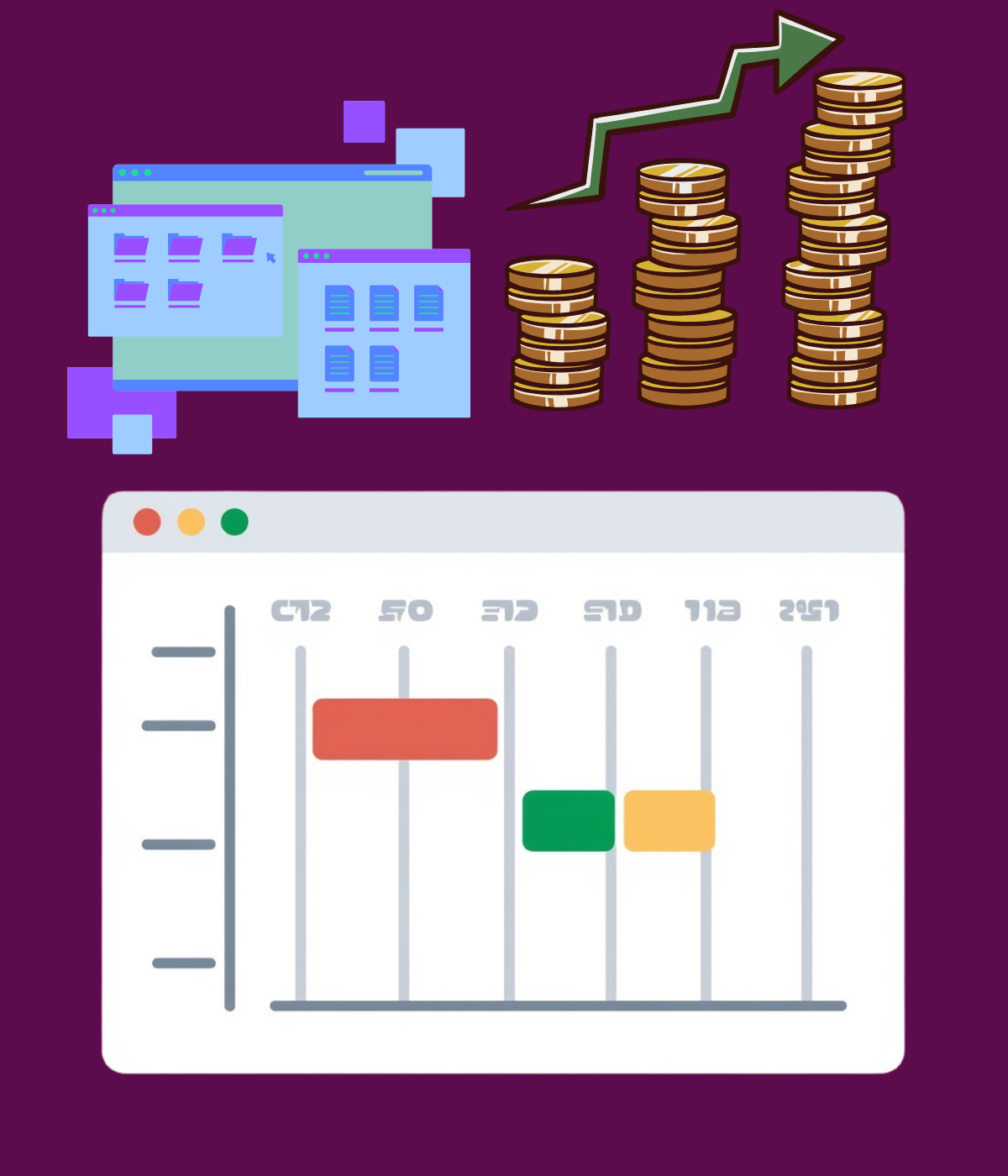
Custom development in WordPress vs custom development takes significantly longer. Here\’s why this happens:
Month 1-2: Planning
- Write down all requirements
- Design database structure
- Plan user workflows
- Create basic wireframes
Phase 2 (Months 3-4): Design
- Create visual designs
- Get approval from stakeholders
- Make necessary revisions
- Finalize all screens
- Phase 3 (Months 5-8): Building
- Write backend code
- Build frontend interface
- Connect all systems
- Add all features
Final Phase (Months 9-12): Testing
- Test everything thoroughly
- Fix discovered bugs
- Deploy to live servers
- Train team members
Real situation: A healthcare company needed a patient portal. Consequently, they chose custom development for unique features. Additionally, development took 11 months to complete. Moreover, they spent $340,000 before launching anything.
Speed Impact on Business
WordPress vs custom development speed affects your revenue directly. Let me explain this clearly:
WordPress launches fast:
- Start in 6 weeks
- Begin earning immediately
- Test ideas quickly
- Make changes easily
Custom launches slow:
- Wait 6-12 months
- No revenue during building
- Cannot test until done
- Changes cost extra money
Simple math example: If your business makes $10,000 profit monthly:
- WordPress launches Month 2: You earn $100,000 in Year 1
- Custom launches Month 8: You earn $40,000 in Year 1
- Lost opportunity: $60,000
Therefore, WordPress vs custom development speed differences create real money impact. Consequently, faster launch means more earning time.
When WordPress Works Best
Understanding when WordPress wins helps your WordPress vs custom development decision. Trust me – this part is important.
Perfect WordPress Situations
Small Business Websites:
WordPress vs custom development clearly favors WordPress for small businesses. Additionally, small businesses need:
- Professional appearance
- Easy updates
- Contact information
- Service descriptions
- Customer testimonials
WordPress delivers everything for $8,000-$20,000. Moreover, you launch in 4-6 weeks total. Furthermore, you can update content yourself easily.
Blogs and Content Sites:
WordPress started as blogging software originally. Therefore, WordPress vs custom development isn\’t even close for blogs. Additionally, WordPress includes:
- Simple article publishing
- Easy category organization
- Comment management
- SEO tools built-in
- Social sharing buttons
Perfect for content creators.
Small Online Stores:
WooCommerce powers 28% of all online stores. Moreover, WordPress vs custom development for small e-commerce favors WordPress because it handles:
- Up to 10,000 products
- Multiple payment options
- Shipping calculations
- Inventory tracking
- Customer accounts
Real example: A jewelry store launched on WordPress for $22,000. Additionally, they made $180,000 in sales their first year. Therefore, WordPress vs custom development clearly worked better here.
WordPress Advantages
In WordPress vs custom development comparisons, choose WordPress when:
- Your budget stays under $50,000
- You need to launch within 3 months
- You want easy content management
- You need standard website features
- You don\’t have technical team
- You\’re testing new business ideas
- Your traffic stays under 50,000 monthly
Additionally, WordPress works for most business websites.WordPress handles typical business needs perfectly. Furthermore, WordPress costs less and launches faster.
When Custom Development Works Best
Understanding when custom wins your WordPress vs custom development decision matters too. Pay attention here.
Perfect Custom Development Situations
Software Platforms:
Software-as-a-Service platforms need custom development. Moreover, WordPress vs custom development shows WordPress cannot handle:
- Unique platform features
- Complex user systems
- Custom database designs
- Advanced integrations
- Special security needs
Example: Project management tools, CRM systems, and analytics platforms need custom development.
Marketplace Platforms:
Two-sided marketplaces require custom code. Additionally, WordPress vs custom development shows WordPress struggles with:
- Buyer and seller accounts
- Transaction processing
- Matching systems
- Complex searches
- Rating features
Example: Freelance platforms, rental marketplaces, and service marketplaces need custom development.
High-Traffic Websites:
Sites exceeding 100,000 daily visitors need custom development. Furthermore, WordPress vs custom development shows custom provides:
- Better performance
- Scalable systems
- Custom caching
- Load balancing
- Database optimization
Real example: A news website growing past 500,000 daily visitors moved from WordPress to custom. Additionally, page loading improved by 60%. Therefore, WordPress vs custom development shifted to custom at this scale.
Custom Development Advantages

In WordPress vs custom development comparisons, choose custom when:
- Your budget exceeds $100,000
- You need unique special features
- You can wait 6-12 months
- You expect over 100,000 daily visitors
- You have technical team available
- You\’re building competitive advantage
- You need unlimited customization options
Additionally, custom works for unique business models. Moreover, custom handles complex requirements better. As well as custom Development provides more control over everything.
Making Your WordPress vs Custom Development Decision
Use this simple framework for your WordPress vs custom development choice. Don\’t worry – this makes it easy.
Question 1: What\’s Your Budget?
Under $50,000: Choose WordPress immediately. Custom development costs too much at this budget. Additionally, WordPress delivers professional results within budget.
$50,000-$150,000: Probably choose WordPress unless you need unique features. WordPress still works best for most situations. However, custom becomes possible at this budget.
Over $150,000: Consider both options equally. Your budget allows either choice. Therefore, features determine your best option now.
Question 2: How Fast Do You Need Launch?
Within 3 months: Choose WordPress definitely. Custom development cannot finish this quickly. Additionally, WordPress launches in weeks, not months.
Can wait 3-6 months: Consider both options. WordPress still launches faster. However, custom becomes more realistic now.
Can wait 6+ months: Either option works fine. Timeline doesn\’t limit your choice. Therefore, consider other factors instead.
Question 3: What Features Do You Need?
Standard website features: Choose WordPress easily. Plugins handle everything you need. Additionally, proven solutions already exist.
Some unique features: Consider both carefully. WordPress with custom additions might work. However, full custom might cost less sometimes.
Highly unique features: Choose custom development. WordPress cannot handle very unique needs. Additionally, custom becomes necessary here.
Quick Decision Table
Find your situation in this WordPress vs custom development table:
Small business, tight budget, standard needs: → Choose WordPress (cost-effective, proven)
Online store under 25,000 visitors monthly: → Choose WordPress (WooCommerce works great)
Online store over 100,000 visitors monthly: → Choose Custom (performance needed)
Software platform: → Choose Custom (unique features required)
Marketplace platform: → Choose Custom (complexity demands custom)
Blog or content site: → Choose WordPress (perfect fit)
Testing new business idea: → Choose WordPress (lower risk, faster)
Funded startup with unique concept: → Choose Custom (build advantage)
Additionally, this table covers most situations. Moreover, find your match and follow that recommendation. Furthermore, trust this guidance – it works.
Hidden Costs to Consider

Both options have hidden costs. Therefore, this WordPress vs custom development section reveals often-overlooked expenses. Listen carefully now.
Hidden WordPress Costs
Plugin Renewals ($200-$1,000 yearly):
Premium plugins need annual renewals. Additionally, costs add up:
- SEO plugin: $99/year
- Security plugin: $99/year
- Backup plugin: $69/year
- Form builder: $99/year
- Page builder: $199/year
Total: $565/year minimum. Not huge but adds up over time.
Compatibility Issues ($500-$5,000 per issue):
WordPress updates sometimes break things. Moreover, fixing problems costs:
- Developer time: $100-$200/hour
- Testing time: 5-10 hours
- Lost revenue during downtime
This happens once or twice yearly typically.
Performance Optimization ($1,000-$10,000):
WordPress sites slow down over time. Additionally, optimization includes:
- Database cleanup: $500-$2,000
- Image optimization: $300-$1,000
- Code optimization: $1,000-$5,000
- CDN setup: $500-$2,000
You\’ll need this every 12-18 months probably.
Security Costs ($2,000-$50,000+):
WordPress gets targeted by hackers frequently. Therefore, security costs include:
- Malware removal: $500-$2,000
- Security audit: $1,000-$5,000
- Prevention services: $50-$200/month
Don\’t skip security ever.
Hidden Custom Development Costs
Technical Debt ($20,000-$100,000):
Custom code creates problems over time. Additionally, fixing technical debt requires:
- Code refactoring: $20,000-$50,000
- Documentation updates: $5,000-$10,000
- Testing improvements: $5,000-$15,000
This sneaks up after 2-3 years.
Developer Turnover ($10,000-$50,000 per person):
Developers leaving creates costs:
- Knowledge transfer: 2-4 weeks
- Recruitment: $5,000-$15,000
- Training replacement: 1-3 months
- Productivity loss
Happens more often than expected.
Technology Updates ($50,000-$200,000):
Technology becomes outdated. Moreover, updates include:
- Framework upgrades: $20,000-$80,000
- Database migrations: $10,000-$40,000
- Security patches: $10,000-$40,000
- Library updates: $10,000-$40,000
Every 3-5 years, this hits hard.
Scaling Infrastructure ($10,000-$100,000+):
Growth requires infrastructure changes:
- Server upgrades: $5,000-$30,000
- Database optimization: $5,000-$20,000
- Load balancer: $5,000-$20,000
- CDN setup: $5,000-$30,000
Success creates new costs here.
Hidden Cost Comparison
5-Year Hidden Costs:
- WordPress total: $45,000-$270,000
- Custom total: $200,000-$1,200,000
- Difference: $155,000-$930,000
Therefore, WordPress vs custom development shows both have hidden costs. Additionally, custom development hidden costs are higher than WordPress significantly. Consequently, budget for these costs in advance.
Real Success Stories
Let me share actual WordPress vs custom development decisions. These are real situations that happened. Trust me on these.
Success Story 1: Marketing Agency
Situation: Digital marketing agency needed professional website
Their WordPress vs custom development choice: WordPress
Why WordPress:
- Budget: $15,000 available
- Timeline: Needed launch in 6 weeks
- Features: Blog, portfolio, contact forms
- Traffic: Expected 5,000 monthly visitors
Results:
- Launched in 5 weeks for $14,500
- Generated 50 leads first month
- Became profitable in 3 months
- Updated content weekly themselves
Lesson: WordPress vs custom development clearly favored WordPress for standard business needs here.
Success Story 2: Software Startup
Situation: Project management software company
Their WordPress vs custom development choice: Custom
Why Custom:
- Budget: $400,000 raised in funding
- Timeline: 9 months acceptable
- Features: Unique project algorithms
- Scale: Planning for 100,000+ users
Results:
- Launched in 10 months for $380,000
- Got 5,000 paying users Year 1
- Revenue: $600,000 first year
- Became profitable in 18 months
Lesson: WordPress vs custom development correctly identified custom as necessary for unique software features.
Mistake Story: Restaurant
Situation: Local restaurant group
Their WordPress vs custom development choice: Custom (wrong choice)
Why they chose custom wrongly:
- Wanted \”professional\” website
- Thought custom meant better
- Developer convinced them
- Spent $85,000 on custom site
Problems:
- Took 6 months to build
- Features no better than WordPress
- Cannot update menu themselves
- Maintenance costs $2,000/month
- Should have used WordPress for $12,000
Lesson: WordPress vs custom development should favor WordPress for restaurants. They wasted $73,000+ unnecessarily.
Your Action Plan

The WordPress vs custom development decision significantly impacts your business. This guide shared real costs, honest timelines, and practical advice.
Key Points:
Cost Reality:
- WordPress: $5,000-$50,000 initial, $2,000-$8,000 yearly
- Custom: $60,000-$500,000 initial, $25,000-$100,000 yearly
- 5-year difference: $100,000-$400,000 typically
Timeline Reality:
- WordPress: 2-8 weeks launch
- Custom: 3-12 months launch
- Speed advantage: WordPress wins by months
ROI Reality:
- WordPress delivers higher returns for most
- Custom justified for unique needs only
- Small businesses: WordPress wins clearly
- Software platforms: Custom wins clearly
This Week Action Steps:
- Calculate your realistic budget honestly
- List your must-have features only
- Estimate traffic for 3 years realistically
- Assess your technical capability honestly
Next Week Action Steps:
- Use the decision framework above
- Get quotes from WordPress developers
- Get quotes from custom developers
- Review their past work carefully
- Check developer reviews thoroughly
Before Starting:
- Write down all requirements clearly
- Create realistic timeline expectations
- Budget for hidden costs adequately
- Plan for maintenance needs ongoing
Remember: You can always change your approach later if needed, and some businesses even use hybrid solutions that combine both methods. Starting with WordPress also reduces risk significantly, which is why most businesses benefit from choosing WordPress first.
The right WordPress vs custom development choice depends on your situation. This guide provided real data and honest comparisons. Additionally, both options succeed when chosen appropriately.
Your website is crucial for business. Therefore, choose wisely using this WordPress vs custom development guide. Don\’t rush but don\’t overthink either.
Final thoughts
Choosing between WordPress vs custom development determines your business success. This decision affects your budget, timeline, and growth potential. Moreover, making the right choice saves you thousands of dollars.
Throughout this WordPress vs custom development guide, we covered everything you need. Additionally, we compared costs, timelines, and features honestly. Furthermore, we showed real examples and success stories. Therefore, you now have all information needed for smart decisions.
The WordPress vs custom development decision isn\’t scary:
Don\’t worry about making wrong choices. Additionally, you can always change later if needed. Moreover, hybrid approaches combine both benefits sometimes. Furthermore, starting with WordPress reduces risk significantly. Therefore, most businesses should start with WordPress first.
Remember these important points:
Your website is a business investment. Therefore, choose based on real needs, not wants. Additionally, be honest about your budget limitations. Moreover, consider your timeline requirements carefully. Furthermore, think about long-term maintenance costs. Consequently, these factors guide your best decision.
Take action this week:
First, calculate your available budget honestly. Additionally, list your must-have features clearly. Moreover, decide your acceptable timeline. Furthermore, use the decision framework provided above. Therefore, you\’ll make the right WordPress vs custom development choice confidently.
Don\’t overthink this decision:
Many businesses waste weeks deciding between WordPress vs custom development. However, the answer usually becomes clear quickly. Additionally, most businesses should choose WordPress immediately. Moreover, only unique situations require custom development. Therefore, follow the simple guidelines in this article.
Your business deserves a professional website. Additionally, your website helps you grow and succeed. Moreover, the right choice makes everything easier. Furthermore, following this guide protects your investment. Therefore, use this information to make smart decisions.
Ready to start? Follow this guide and make your decision today!
day!